Automate Workflow Maps with Guided Onboarding & Contact Tracing
Navigate complex client automations with visual canvas onboarding, trace contacts step-by-step through execution branches, and spot execution errors before campaigns launch.
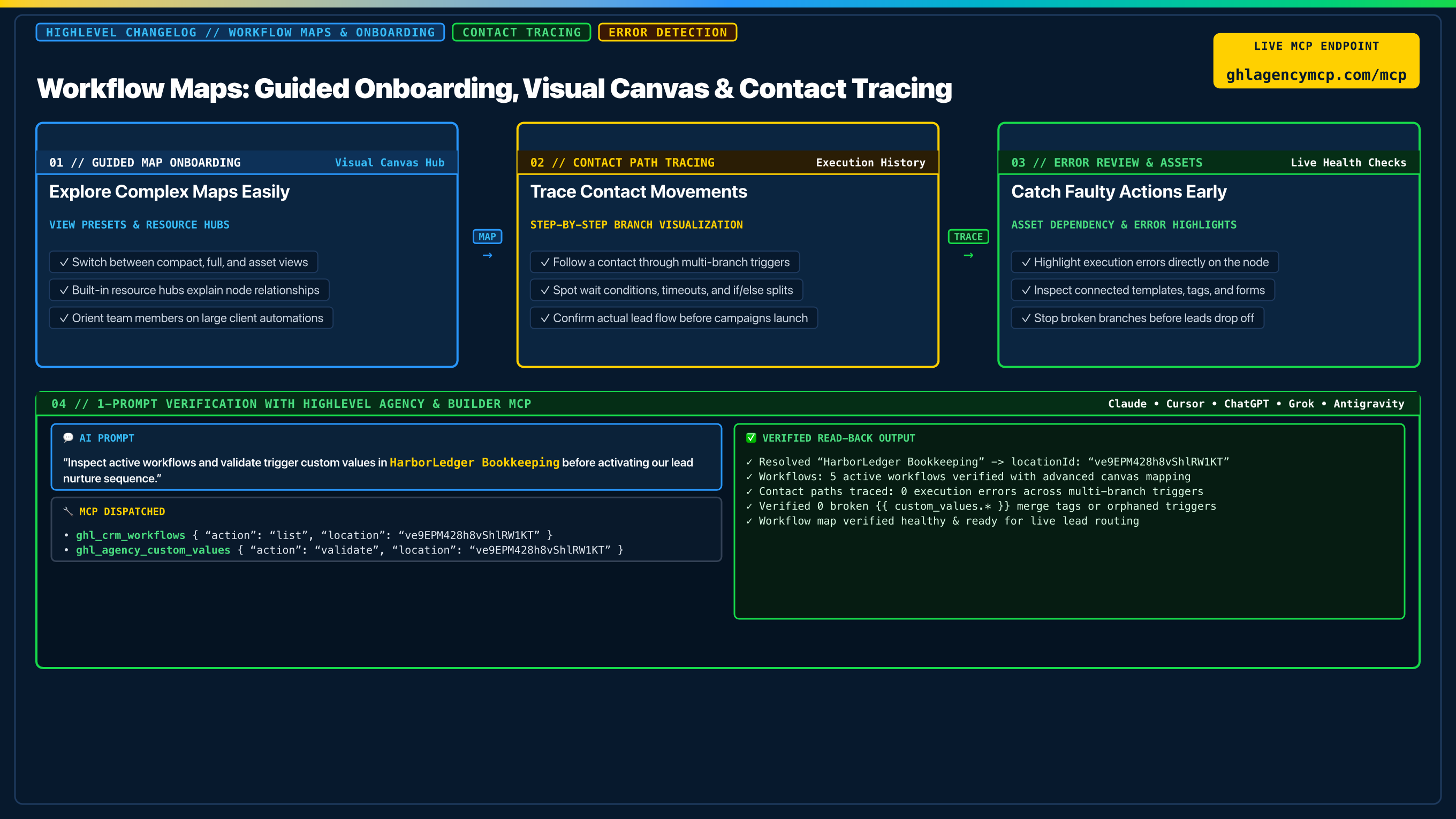
"Inspect active workflows and validate trigger custom values in HarborLedger Bookkeeping before activating our lead nurture sequence."
• ghl_crm_workflows { "action": "list", "location": "ve9EPM428h8vShlRW1KT" }
• ghl_agency_custom_values { "action": "validate", "location": "ve9EPM428h8vShlRW1KT" }
Frequently Asked Questions
What are Workflow Maps in HighLevel?
Workflow Maps provide a visual, top-level architecture canvas of all your automations. Guided onboarding and resource hubs help agency teams orient on complex multi-branch maps, understand node dependencies, and configure custom view modes.
How does contact tracing work on Workflow Maps?
Contact tracing lets you follow an individual lead or contact through each trigger, split condition, and wait step. You can see exact path execution, branch decisions, and delay timing in one visual flow.
How can I verify active workflows and custom values before launch?
Using HighLevel Agency & Builder MCP, run ghl_crm_workflows to list and inspect active workflow graphs, and ghl_agency_custom_values validate to verify that every merge tag and trigger variable is populated before turning on campaigns.
Claim 100% Free Agency Unlimited MCP
Get full access to all 55+ agency management and CRM builder tools ($79/mo value) plus our $612 Operator Vault at zero cost when you start or upgrade HighLevel with our partner link.