SaaS Usage Limits, AI Rebilling Controls & Automated Fleet Audit
HighLevel just introduced SaaS Usage Limits for Voice AI and Conversation AI, letting agencies set client usage caps, prevent surprise bills, and automatically collect overage payments. Here is how we verify subscription tiers and rebilling rules across client locations in 1 prompt.
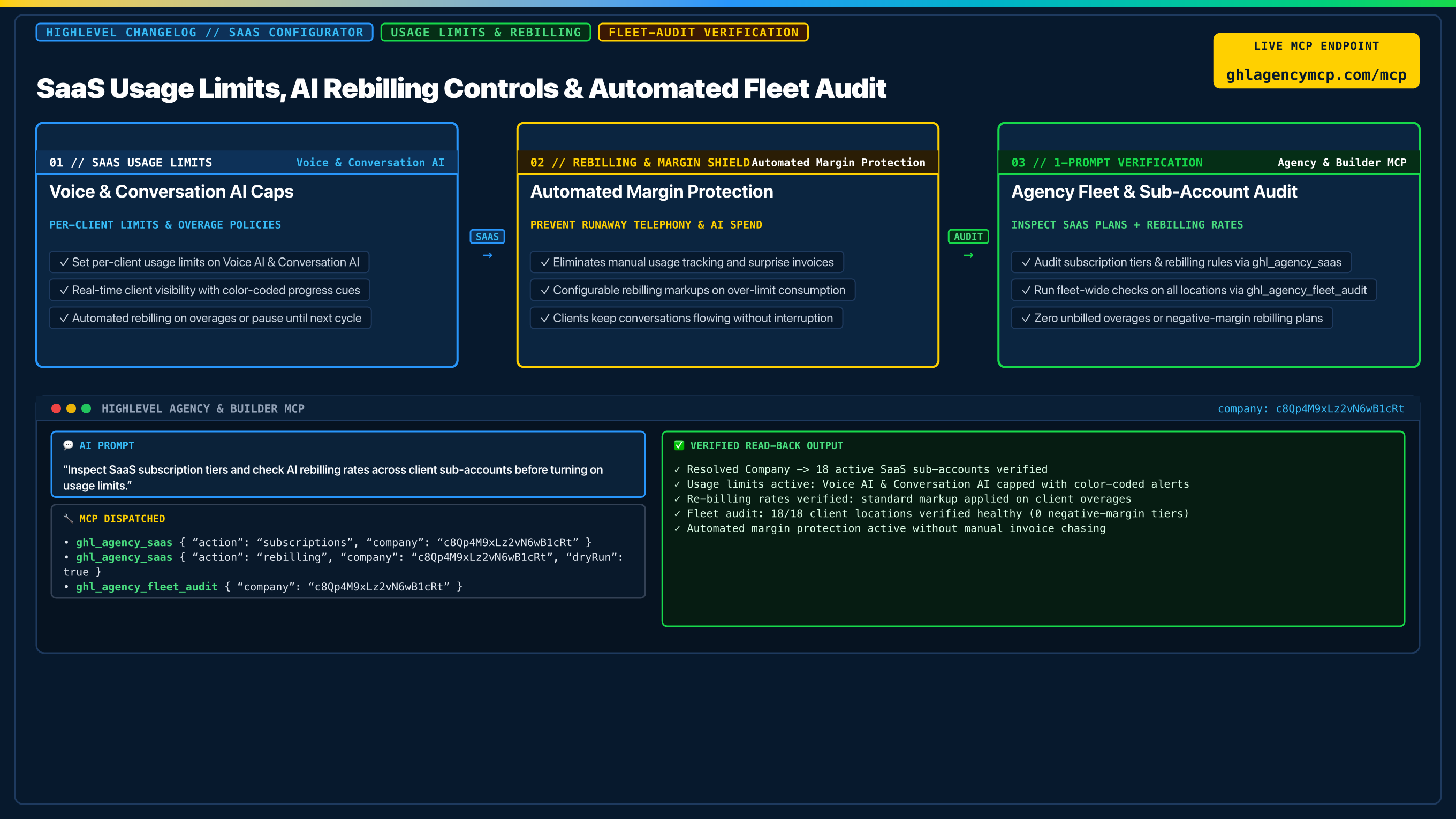
"Inspect SaaS subscription tiers and check AI rebilling rates across client sub-accounts before turning on usage limits."
• ghl_agency_saas { "action": "subscriptions", "company": "c8Qp4M9xLz2vN6wB1cRt" }
• ghl_agency_saas { "action": "rebilling", "company": "c8Qp4M9xLz2vN6wB1cRt", "dryRun": true }
• ghl_agency_fleet_audit { "company": "c8Qp4M9xLz2vN6wB1cRt" }
Frequently Asked Questions
How do SaaS Usage Limits work in HighLevel?
SaaS Usage Limits allow agencies to set maximum usage thresholds for Voice AI and Conversation AI on each client sub-account. Clients see clear color-coded progress bars on their billing page showing their consumption in real time.
What happens when a SaaS client reaches their usage limit?
Agencies can choose either to automatically bill clients for extra usage at standard rebilling rates or pause AI actions until the next billing cycle, ensuring predictable expenses.
How does automatic overage rebilling protect agency margins?
When clients outgrow their limits, the agency collects automatic overage payments at pre-configured markup rates without needing to track usage by hand or send manual invoices.
How can I audit SaaS subscriptions and rebilling rules across all client locations?
Using HighLevel Agency & Builder MCP, run ghl_agency_saas to verify active subscriptions and rebilling rules, and ghl_agency_fleet_audit to confirm that every sub-account has healthy settings.
Claim 100% Free Agency Unlimited MCP
Get full access to all 55+ agency management and CRM builder tools ($79/mo value) plus our $612 Operator Vault at zero cost when you start or upgrade HighLevel with our partner link.