Know What Syncs Before You Connect a Gmail or Outlook Inbox in HighLevel
HighLevel's November 22 update adds a 4-point pre-connection disclosure and permanent How email sync works guide under Settings > My Profile > Email and conversations. Before connecting Gmail or Outlook, users confirm how CRM contact matching, sub-account team visibility, multi-location sync reach, and post-disconnect email retention behave.
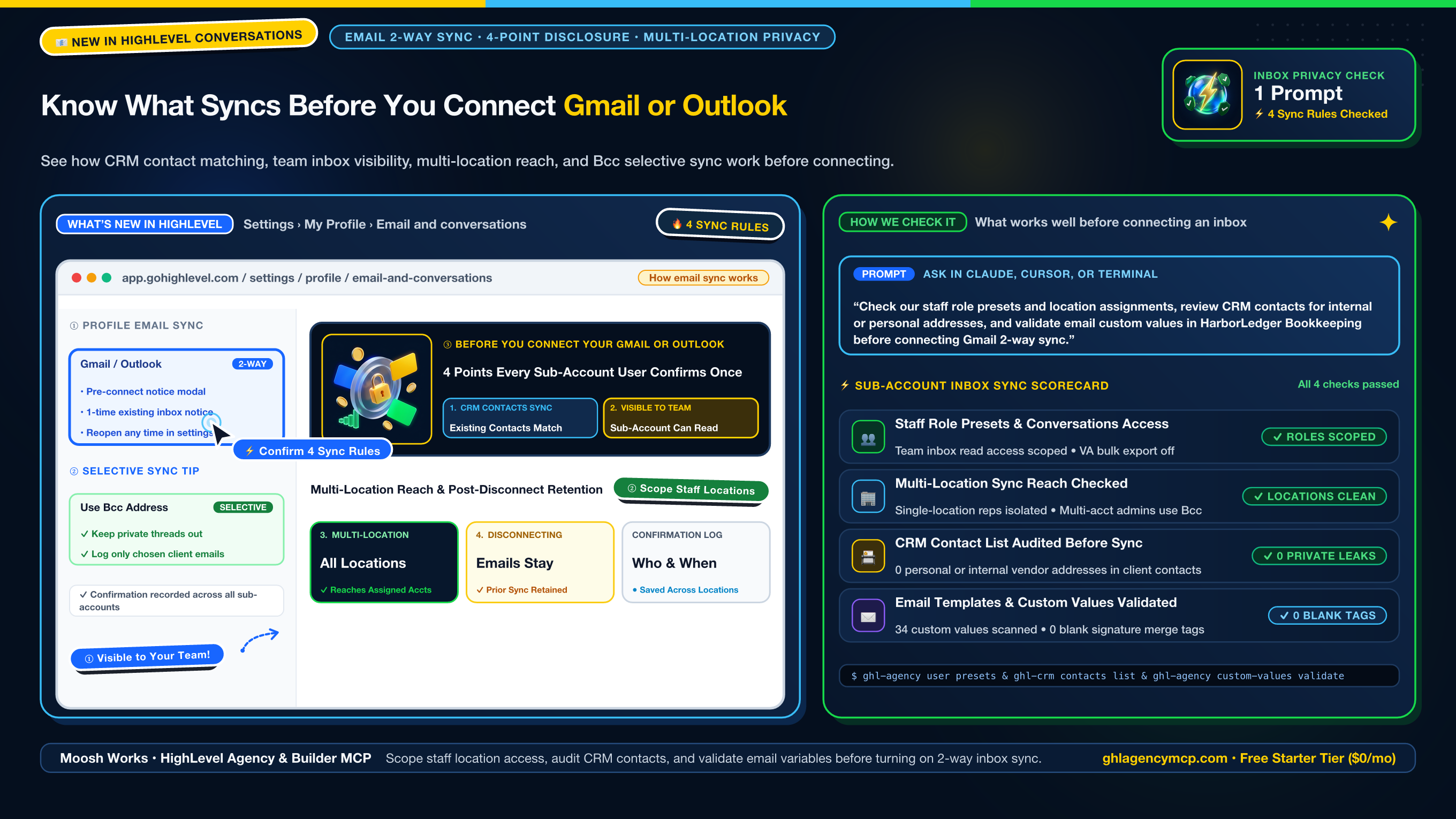
"Check our staff role presets and location assignments, review CRM contacts for internal or personal addresses, and validate email custom values in HarborLedger Bookkeeping before connecting Gmail 2-way sync."
• ghl_agency_users { "action": "presets" }
• ghl_crm_contacts { "action": "list", "location": "ve9EPM428h8vShlRW1KT" }
• ghl_crm_conversations { "action": "list", "location": "ve9EPM428h8vShlRW1KT" }
• ghl_agency_custom_values { "action": "validate", "location": "ve9EPM428h8vShlRW1KT" }
How to Prepare a Sub-Account Before Connecting Email 2-Way Sync
1. Scope multi-location staff assignments and Conversations access
In Settings > My Profile > Email and conversations, clicking Connect on Gmail or Outlook explains that synced email lives on the contact record where other users in the sub-account can read it, and that belonging to more than one location allows sync to reach all of them. Run ghl-agency user presets and ghl-agency user assign-locations so each team member is assigned only to the sub-accounts where their inbox belongs, or have multi-location agency admins use the sub-account Bcc address for selective email logging.
2. Audit CRM contact records for internal or personal email addresses
Once an inbox is connected, emails with people already in your CRM start syncing onto their contact records, and disconnecting later will not remove emails that have already synced. Run ghl-crm contacts list --location <ID> and ghl-crm conversations list --location <ID> before connecting a mailbox so personal contacts, HR addresses, or private vendor emails stored in the CRM do not pull private correspondence into the shared team inbox.
3. Validate email templates, signatures, and custom values
After reviewing How email sync works and ticking the confirmation checkbox (which records who confirmed and when across every sub-account you belong to), run ghl-agency custom-values validate --location <ID> to confirm that email reply templates, booking links, and sender signature variables contain zero blank {{ custom_values.* }} merge tags.
Frequently Asked Questions
What are the four things that change when you connect a Gmail or Outlook inbox to HighLevel 2-way email sync?
In Settings > My Profile > Email and conversations, clicking Connect opens a four-point notice before continuing to Google or Microsoft (and remains available any time via How email sync works): (1) Email with people already in your CRM starts syncing automatically; (2) Other users in the sub-account can read your synced emails because synced email lives on the contact record, including personal correspondence if the sender happens to be a contact; (3) If you belong to more than one location, sync can reach all of them; and (4) Disconnecting later will not remove emails that have already synced. To log only specific emails instead of connecting the whole inbox, use your sub-account Bcc address.
Does confirming the HighLevel email 2-way sync notice change existing sync settings or ask again in other sub-accounts?
No. The confirmation is a disclosure record only and does not turn email sync on or off or alter your sync configuration. If your inbox was already connected before the update, HighLevel shows a one-time notice (How your connected inbox already behaves) explaining the same four points. Confirming records who confirmed and when across every sub-account you belong to, so you are not prompted again in other locations.
How can agencies prevent private or cross-client emails from syncing into shared HighLevel sub-accounts?
Before team members connect a Gmail or Outlook inbox, check which locations they belong to and scope their role permissions with ghl-agency user presets and ghl-agency user assign-locations so a personal or single-client mailbox is not assigned to multiple client sub-accounts. Next, inspect existing contacts with ghl-crm contacts list --location <ID> so internal staff, HR, or personal vendor addresses are not saved as CRM contact records. For agency admins working across many sub-accounts, use each sub-account's Bcc address for selective email logging instead of full 2-way inbox sync.
Claim 100% Free Agency Unlimited MCP
Get full access to all 55+ agency management and CRM builder tools ($79/mo value) plus our $612 Operator Vault at zero cost when you start or upgrade HighLevel with our partner link.