AI Video Generation, Router & Loop Workflow Actions
HighLevel just introduced AI Video Generation (powered by Google's Veo 3.1), concurrent branch execution with Router, and repeat list execution with Loop. Here is how we verify workflow triggers and custom values in 1 prompt before turning campaigns live.
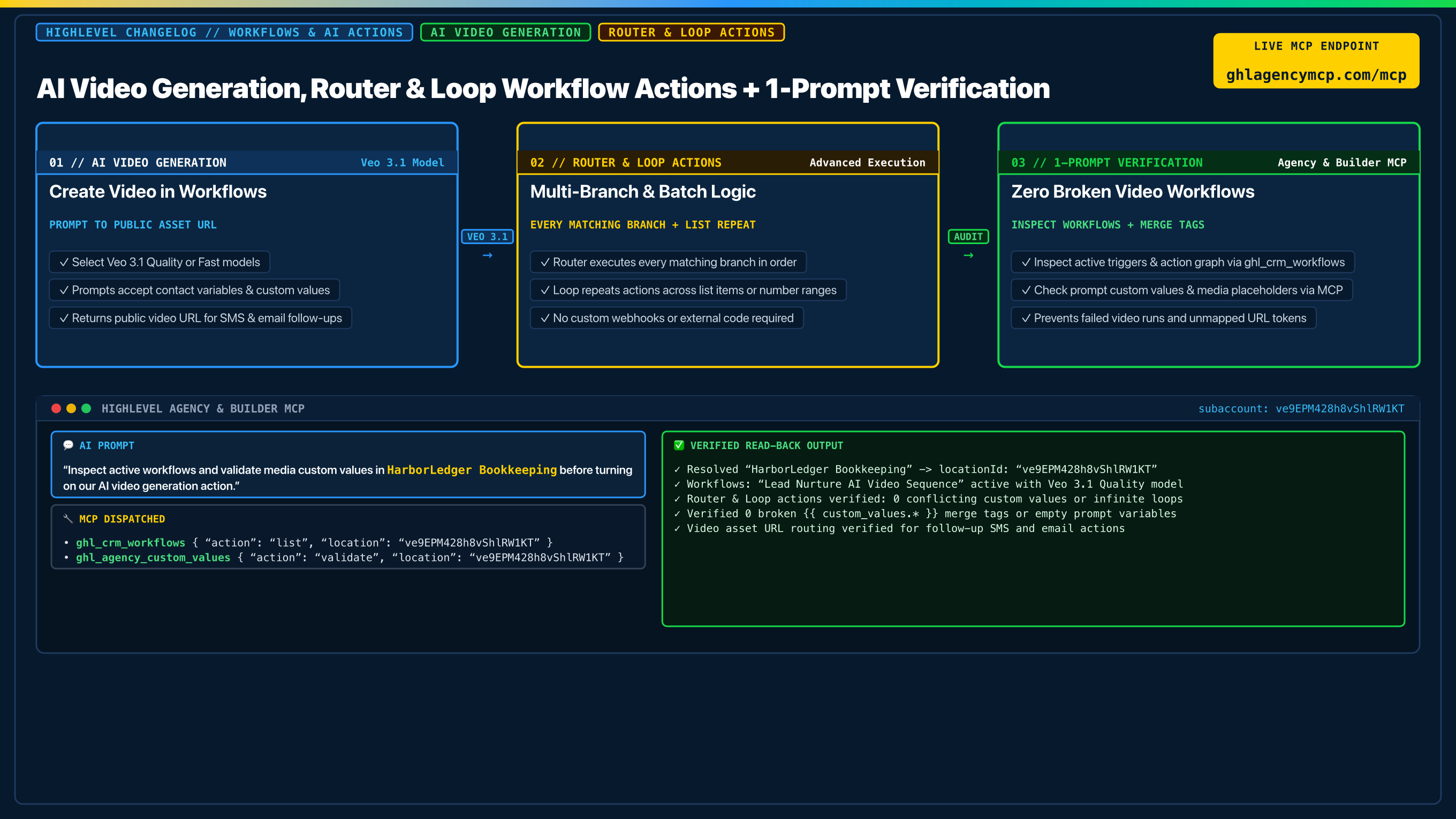
"Inspect active workflows and validate media custom values in HarborLedger Bookkeeping before turning on our AI video generation action."
• ghl_crm_workflows { "action": "list", "location": "ve9EPM428h8vShlRW1KT" }
• ghl_agency_custom_values { "action": "validate", "location": "ve9EPM428h8vShlRW1KT" }
Frequently Asked Questions
How does AI Video Generation work in HighLevel workflows?
The AI Video Generation action is available under AI Actions. Give it a prompt incorporating contact merge tags or custom values. Google's Veo 3.1 creates a short video, stores it at a public URL, and passes that URL to subsequent actions (such as SMS or email).
What is the difference between Router and If/Else in HighLevel?
If/Else stops at the first branch that matches. The Router action evaluates every branch and runs each matching branch sequentially, left to right, so a contact can move through multiple targeted paths without complex nested workarounds.
How does the Loop action work in workflows?
The Loop action lets you repeat a set of actions for every item in a list or number range inside a workflow. It simplifies batch record updates and sequential tasks without needing external scripts or webhooks.
How can I verify active workflows and custom values before launch?
Using HighLevel Agency & Builder MCP, run ghl_crm_workflows to inspect active workflow configurations and ghl_agency_custom_values validate to confirm that prompt variables, merge tags, and media links are populated cleanly.
Claim 100% Free Agency Unlimited MCP
Get full access to all 55+ agency management and CRM builder tools ($79/mo value) plus our $612 Operator Vault at zero cost when you start or upgrade HighLevel with our partner link.